How Do I: Windows Media Encoder (PULL Method)

Solution

Streaming with the Windows Media Encoder 9 series:

Before we get started:

Please make sure you have completed these articles

  1. "How Do I: Configure my Network."
  2. "How Do I: Configure a Dynamic DNS."
  3. "How Do I: Configure my Windows Firewall software."


To start off, lets make sure you have the essentials. In order to broadcast you should have the following components and/or software:

Operating System Windows 95, 98, ME, NT, 2000, or XP
Windows Media 9 Series Encoder Download
Access to a SleepyEngineers
streaming server
Click here for information.
Internet Access Although you can broadcast with a 56k internet connection, a DSL or Cable connection to the internet is recommended for optimal performance.

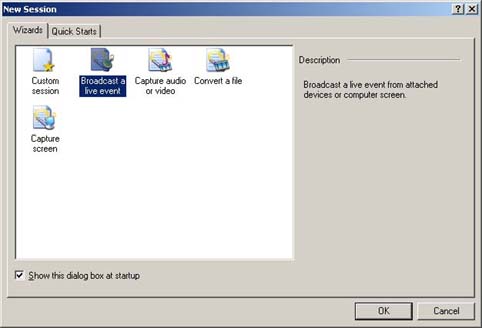
STEP 1 - After starting up the Windows Media Encoder and starting a new session, choose "Broadcast a live event".

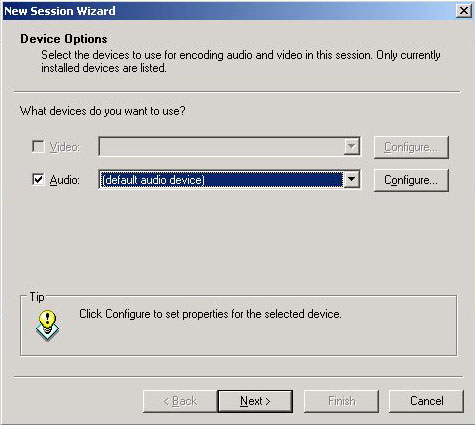
STEP 2 - Select Video, Audio or both, depending on what you need to do. Select the appropriate devices listed for each category and click Next.

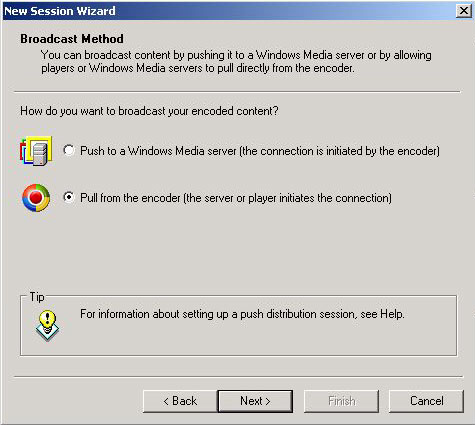
STEP 3 - . Select "Pull from the encoder" and click Next (see diagram).

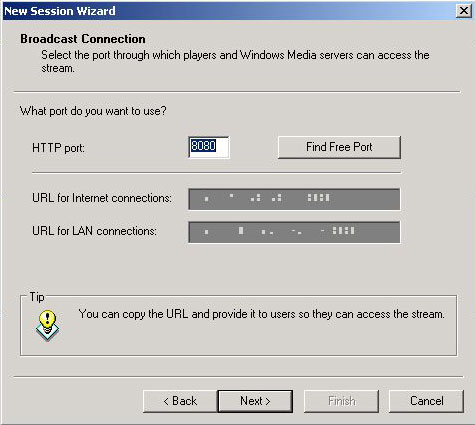
STEP 4 - Type in your port number, which have you decided to use for your encoder port, it is very important for you to tell us that number so that we can configure the server. Click Next (see diagram).

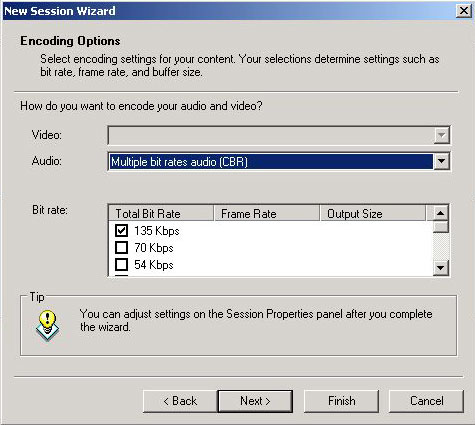
STEP 5 - Select the connection speeds of your live stream and click Next (see diagram).

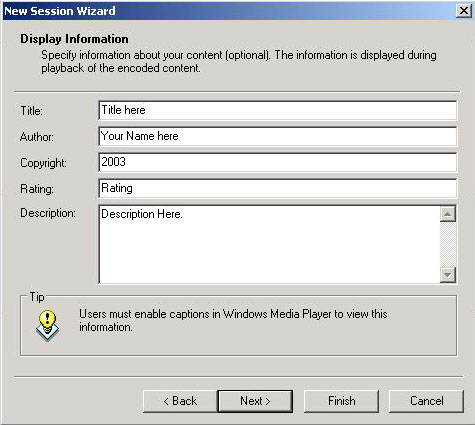
STEP 6 - Type in any information you want displayed during playback of the encoded content. Click Next (see diagram).

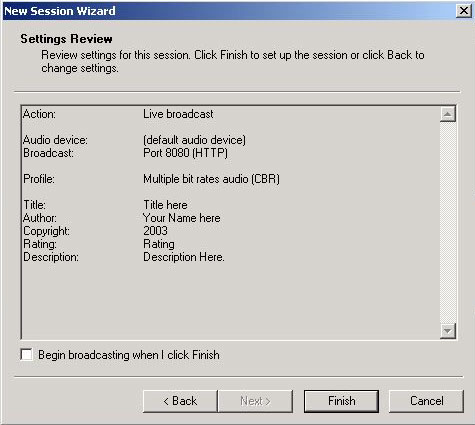
STEP 7 - Review your settings and click Finish (see diagram). Then click "Start encoder" to begin your session.

  • 0 Els usuaris han Trobat Això Útil
Ha estat útil la resposta?

Articles Relacionats

How Do I: Configure my Network

In most situations, a computer that is connected to a network accesses the internet through a...

How Do I: Setup a Dynamic DNS

A static address is required to use the Pull broadcasting method of Windows Media Encoder. If...

How Do I: Configure Windows Firewall

Firewall software is being packaged with every new computer, system upgrade, and broadband...