How Do I: Windows Media Encoder (PUSH Method)

Solution

Streaming with the Windows Media Encoder 9 series:

To start off, lets make sure you have the essentials. In order to broadcast you should have the following components and/or software:
Operating System   Windows 95, 98, ME, NT, 2000, or XP
Windows Media 9 Series Encoder   Download
Access to a SleepyEngineers
streaming server
  Check your Welcome email from Sleepyengineers for details or Click here to order a plan.
Internet Access   Although you can broadcast with a 56k internet connection, a DSL or Cable connection to the internet is recommended for optimal performance.

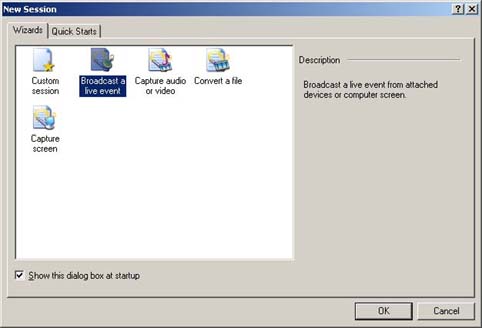
STEP 1 - After starting up the Windows Media Encoder and starting a new session, choose "Broadcast a live event".


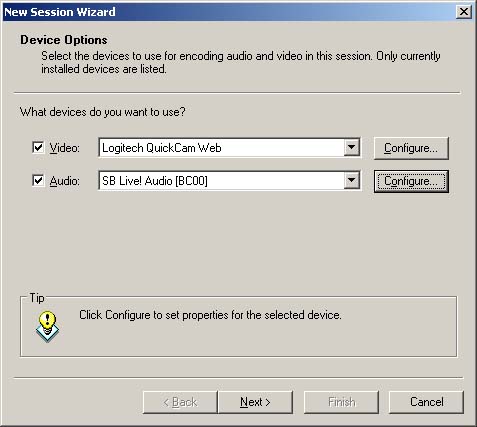
STEP 2 - Next, select, the devices you wish to use to broadcast with.
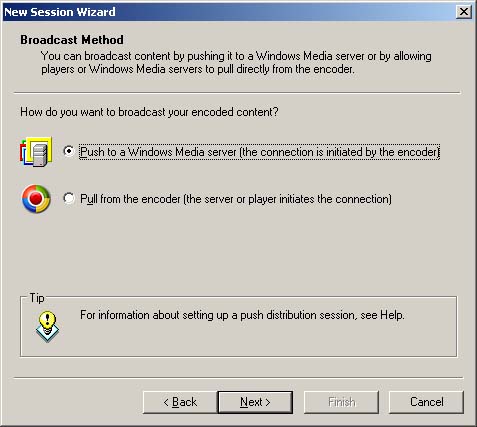
STEP 3 - Select your broadcast method. (Push method).
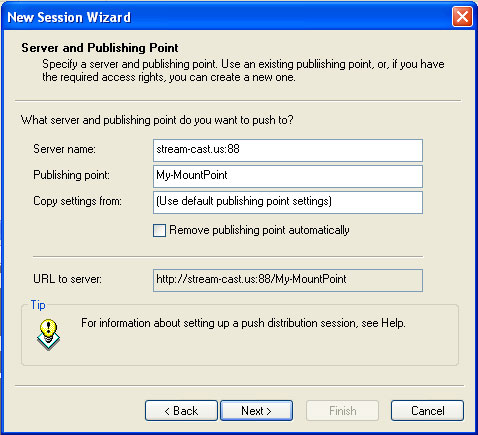
STEP 4 - Enter your server address and publishing point. (Provided by SleepyEngineers). You will also be prompted for a user name and password.
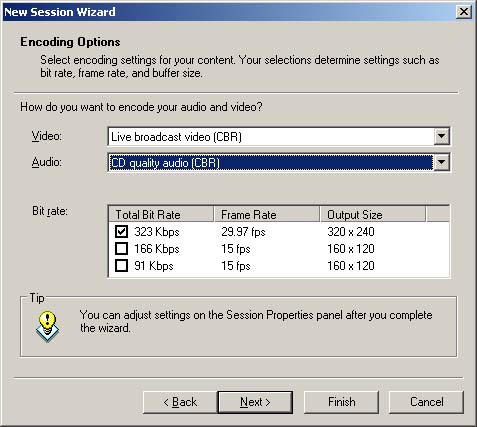
STEP 5 - Select your desired encoding rates. (Use the rates you signed up for).
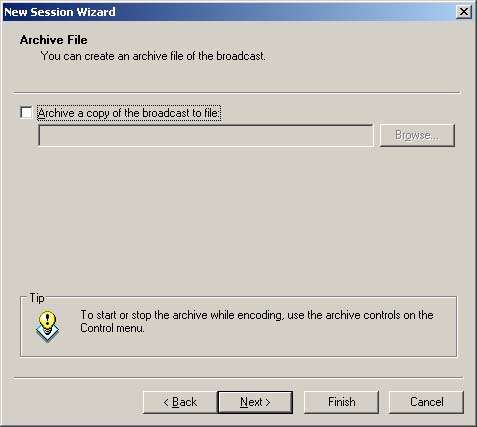
STEP 6 - Select whether or not you would like to record your broadcast to a file on your local machine. (Optional.)
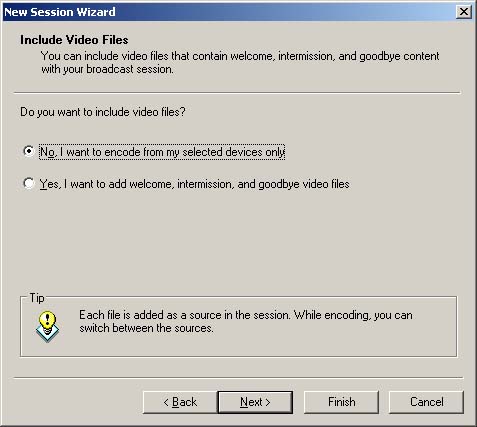
STEP 7 - Choose if you would like to use additional files along with your broadcast devices.
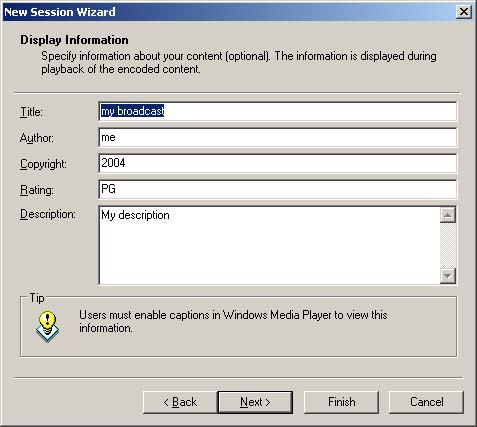
STEP 8 - Enter your broadcast information. (Title, author, etc.).
STEP 9 - Click "Start Encoder" button.
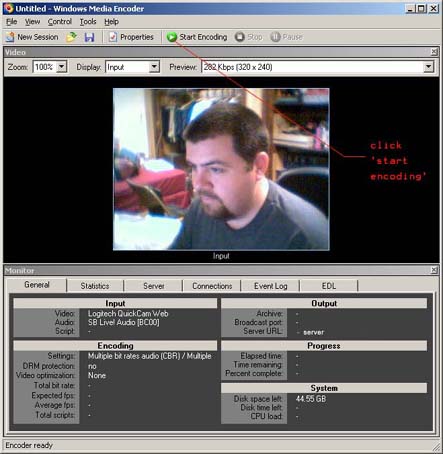
CONGRATULATIONS! You are now broadcasting with Windows Media 9 Encoder!

  • 2 gebruikers vonden dit artikel nuttig
Was dit antwoord nuttig?

Gerelateerde artikelen

How Do I: Stream audio and video content to mobile phones and PDAs.

This document explains some of the strategies for best delivering your audio and video content to...

How do i get an embedded player on my site?

To embed a Player in your web site you have two options; 1. You can use JW Player see this URL;...

How Do I: Windows Media on demand

Please use the following info for FTP access:FTP host: your URL.FTP port: 21FTP username and...

How Do I: Setup a MediaPoint Manager Statistic Relay

Setup Statistic Relay How to configure the MPM Statistic Relay using any of Spacial Audio's...

Load Balancing Windows Media Live Content

This service is for Live Webcasting Windows Media Content requiring load balancing capabilities...

